Blur faces for privacy
Prepare event photos, street photography, classroom images, and community scenes by softening visible faces that should not remain identifiable.
blur face
Blur face online to anonymize visible faces in JPG, PNG, or WebP photos. Review a focused privacy blur before downloading the result.
Blur face is an online photo privacy tool that detects visible human faces and applies a natural blur to identity-bearing facial details. It is useful when you need to anonymize faces in photos before sharing a group picture, street scene, event image, or customer-generated visual.
The original stays unchanged. Review the privacy edit and download the blurred photo when it is ready.
Your original and privacy-ready result will appear here.
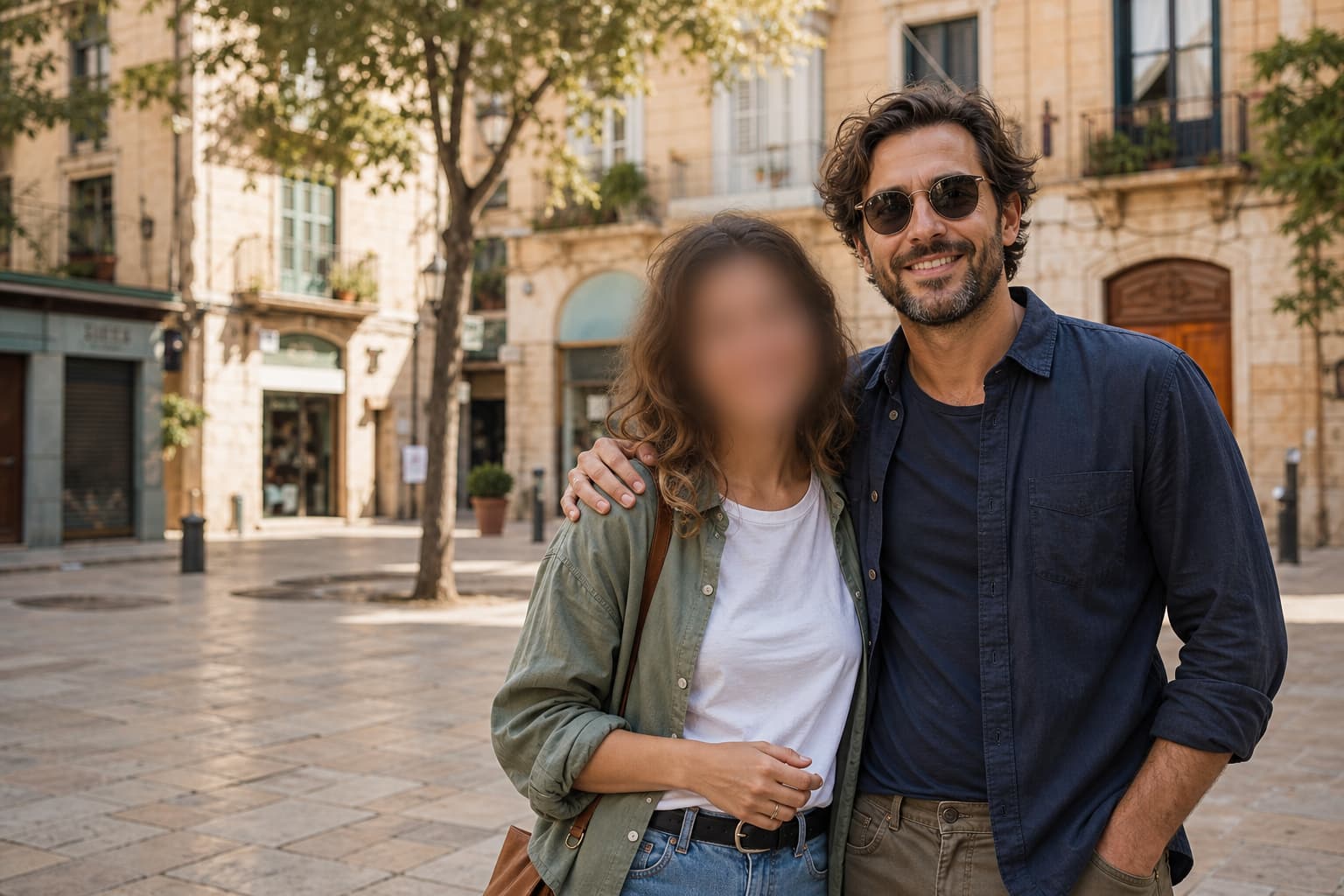
blur face
Blur face is an online photo privacy tool that detects visible human faces and applies a natural blur to identity-bearing facial details. It is useful when you need to anonymize faces in photos before sharing a group picture, street scene, event image, or customer-generated visual.
See the face blur clearly
The original stays readable while the edited side softens identity-bearing face details. Hair, clothing, body shape, architecture, and color remain visible so you can verify the privacy edit before sharing.
A good face blur workflow should be precise, quick to review, and easy to understand. This tool keeps the privacy edit focused on faces instead of applying a broad blur across the whole image.
Prepare event photos, street photography, classroom images, and community scenes by softening visible faces that should not remain identifiable.
The editing instruction protects hair, clothing, bodies, objects, text, colors, and composition so the result remains useful beyond the face blur.
Compare the original image with the blurred result in one workspace, then download only after checking that the intended faces are covered.
Use the online face blur tool in four simple steps, with one credit for each completed image edit.
Upload a JPG, PNG, or WebP image up to 10 MB.
The automatic editor detects visible faces and applies a focused privacy blur.
Compare the original and edited image to confirm the result matches your sharing needs.
Save the JPG face-blurred image for a post, presentation, archive, or private review.
Questions about blurring faces
Find direct answers about face blur online, supported files, and the one-credit workflow.
Yes. Upload a JPG, PNG, or WebP image and the automatic face blur edit applies a natural privacy blur to visible human faces before you review and download the result.
The prompt is designed to blur only identity-bearing facial areas while preserving hair, clothing, bodies, background, text, colors, and composition. Always review the result before sharing.
Use JPG, PNG, or WebP images up to 10 MB. Group photos, event pictures, street scenes, and other images with visible faces are natural use cases.
One completed face blur uses one credit. If processing fails, the reserved credit is returned automatically.